Introduction
Many parents and teachers had firsthand experience with apps and digital school-home communication during the pandemic, when school administrators introduced new ways for students to report their schoolwork and connect with teachers.
Parents often stepped in to help younger children, setting up video conference calls and posting evidence of the student’s work. I remember my son’s class using a student portfolio-sharing platform, where I would upload his assignments.
The pandemic gave student learning software and communication companies a big push, shifting the EdTech space from student information management to communication management.
But technology is not static. The way we experience digital systems continues to change as the digital era unfolds.
The evolution of the social media experience, rapid development of productivity and management tools, enhancements in virtual team communication, the development of AI, and the cultural home-school divide all create a new landscape to develop today’s school communication software and apps towards directions that, on one hand, use modern frameworks and, on the other hand, solve real issues.
The next-generation school communication tackles new questions: Are the apps easy to use? Are the apps actually efficient, from the parents’ point of view as well? Is student privacy respected? Can parents manage notifications and their profile visibility? Is information easy to find? Can teachers use the same systems for international communication? Is all community engagement integrated into a single digital platform? Is technical support immediate?
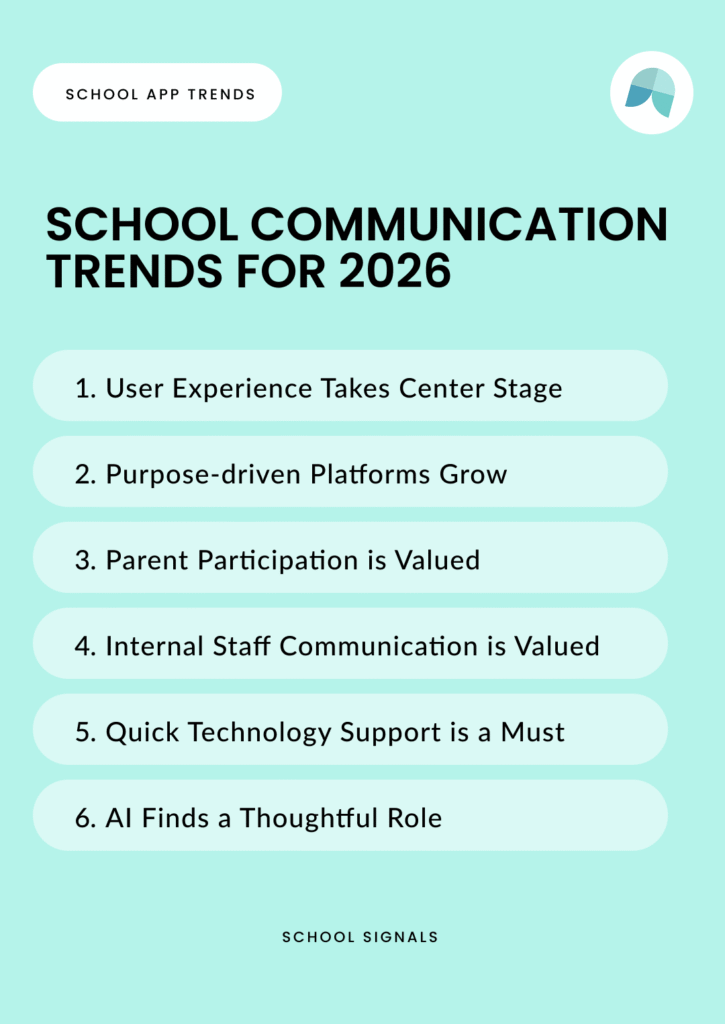
Schools and parents expect EdTech companies to keep up with the pace. Below, I look into six shifts shaping school communication through this lens.

Trend 1: Emphasizing Better User Experience
Since parents have a smartphone that travels with them, it’s only logical that communication lives there, too. In the context of schools, it feels like the secret sauce isn’t quite coming to fruition. While the information might be on your phone or laptop, finding the information still takes effort.
Efficiency —and saving time— has become one of technology’s most repeated promises, but not everyone is buying this. Many systems built around the idea of saving time have failed to deliver on that promise. As the New York Times columnist noted recently in her column
Efficiency is Leading Us Nowhere, even a simple summer camp app meant to speed up checkouts ended up complicating the process. Time-saving features often create new layers of friction—extra screens, confirmations, or logins — while removing the ease—and joy! —of human interaction.
If a parent or teacher struggles to use a communication app, it is certainly not effective. If a parent or teacher finds that the use reduces synchronous communication, an app may not be well-received.
On the other hand, if the app becomes a convenient tool for connecting and contacting, with little cognitive load to learn how it works, it may well earn its place as a valuable tool in the community.
And to take it further, if the user actually enjoys using the app or platform, we can note how the system transforms an everyday routine into an enjoyable experience. The question is: How do you feel when you click the button? Do you resent the experience? Are you okay with? Or might you even enjoy it?
The modern school communication platform needs to be built on a good user experience and have its purpose validated by the community so parents actually want to use it.
Trend 2: Relevant, Unified, and Purpose-built Experience
The days when your social media feed would say, ‘not more content to show,’ are over. Today, social media feeds are filled with ads and suggested content to keep the entertainment going.
Amanda Baughan et al., researchers at the University of Washington, investigated in 2022 why people feel worse after spending more than 30 minutes on social media at a time. The researchers concluded that the “30-Minute Ick Factor” is about the user feeling disassociated, and sometimes not even remembering why and what content they had scrolled through. They get lost in their thoughts and forget their original purpose of visiting social media. —And by 2025, to add to this mix, there is still not much
research on users’ experience with AI-generated social media content; the results so far are inconclusive.
Fortunately, research by Washington University indicates that users can be woken from the mindless consumption of social media by providing prompts. The research points out that custom lists, reading history labels, time limit dialogs, and usage statistics all reduce “normative dissociation.”
(Note: Doomscrolling — getting lost in social media and its marketing messages — is only one reason schools should avoid communicating with parents on social media. For more reasons, including FERPA, review the blog post on
schools and social media communication.)
These findings reinforce the purpose of school communication platforms as designated purpose-built communication spaces. Modern school communication platforms should be ad-free, offer audience-relevant content, and provide a clear way to see what is new. The platforms need to approach parents as active participants and give them a voice to avoid passive consumption.
Trend 3: Home-School Partnership Building
What is common with an e-blast, a robocall, and a mass email? They all talk to people, not with them.
Many older school communication platforms focus solely on information delivery and are designed without giving parents any voice. The platforms have focused on delivering the same message to everyone and given little consideration to fostering two-way communication between schools and homes.
While
lean communication methods serve a purpose by keeping everyone informed at scale, modern school communication platforms are moving beyond mass delivery. Aligned with
Joyce Epstein’s research on school–family–community partnerships, the new generation of school communication apps and platforms cultivates meaningful spaces for dialogue and shared participation. The goal is not only to inform but to engage, creating communication environments that invite families in and make collaboration part of everyday school life.
The shift is to move from bulletin-board-like digital environments to unified communication and engagement platforms. Modern school communication platforms view parents’ roles more broadly than mere recipients of information; they are active participants, supporting and contributing to the school and thereby cultivating positive school cultures.
Active discourses that pit schools as institutions against homes, or teachers and parents against each other live in Reddit forums or Facebook groups. It is understandable that schools are concerned about brining any toxicity to their communication networks. But, schools should no longer choose one-way communication because it’s the only available option.
Today, school administrators should expect platforms to be built with flexible user rights settings that provide a customizable level of interactivity. School Signals allows administrators to customize the audiences to which parents can add posts. Parent posts can be filtered through admin approval. And thirdly, AI-driven guardrails monitor posts and comments, automatically detecting any ill intention.
Trend 4: Fostering Staff Communication
A teacher cancels a meeting, a counselor shares a reminder about student safety, or the office posts a simple “hot pot of coffee in the lounge.” These quick connective notes don’t warrant a school-wide official email or use of formal systems like Microsoft Teams. Yet they create a reliable, proactive beat—what organizational researchers refer to as
High-Quality Connections (HQC)—for school life and can serve as teacher support and even help prevent teacher burnout.
Posting and messaging internal school communication using the same school engagement app is convenient. Teachers don’t need to look for another method to reach out, organize another text message thread, or use another app.
Communication platforms like School Signals empower teachers and staff to send community-building messages that reach the faculty internally.
At School Signals, we have scaled all our communication and engagement components to be functional at the teacher/staff level. Events, messaging, posting, document sharing, online forms, and even after-school clubs can all be created at the internal teacher/staff level.
Trend 5: Providing All Users Immediate Customer Support
If parents are asked to download an app or use a school communication platform, they should be met with the customer support experience they can expect as app users. Parents will and should expect the same immediacy and clarity they receive from other modern apps.
Delays in response times, cumbersome help links, or being redirected from place to place are outdated experiences in our AI-driven digital era where consumers expect fast service.
Research confirms that user expectations for digital communication have shifted significantly. A 2022 university study,
The Impact of Chatbots on Customer Loyalty by Jenneboer, Herrando, and Constantinides, observes that “the new customer expects to be able to reach a company anytime and anywhere, regardless of time, location, and channel, and expects to spend less time doing so.”
This mindset now extends beyond e-commerce and customer service to every digital experience, including how parents interact with school communication apps. The time when customer support was provided only to school administrators is over.
For school communication platforms, responsiveness must be built into the product itself. Support should be immediate and accessible within the app experience, not routed through complex channels or dependent on school staff.
Trend 6: The Horizon is (Cautiously) Wide and Open with AI
Looping back to efficiency arguments, we’ve all seen the marketing ads and commercials about how efficiency—now, with the help of AI—can be boosted by a magical percentage, freeing up time to be with family and do things that really matter. Sadly, we’ve quickly noticed that efficiency—completing work, or even a simple task—often means we’re asked to work even faster, making the case for efficiency an oxymoron.
In education, teachers are rightfully skeptical about whether AI will actually save them time. AI workshops and seminars are nudging school leaders to make some big choices. Should they lean in and try new tools, or take things slowly and rely on what’s already working? No one really knows yet how AI will change daily routines, staff workflows, or the way people interact.
Even in this uncertainty, most software companies, representing the technology, are under significant cultural and financial demand to deliver AI-driven services and boost their perceived market value, or risk falling behind. Some already talk about the AI bubble in technology, while others feel there is no bubble; it’s real.
Likely the specialized AI solutions will prove most useful—those built around specific school use cases that genuinely solve problems rather than add noise. At School Signals, we utilize AI to help parents translate communication, support teachers and administrators with writing, and help schools monitor communication when needed.
We’re now developing tools that can summarize and gently guide communication in the desired direction. Features like automated summaries or AI-assisted communication plans can make daily routines easier, as long as the power stays in the school’s hands, not the technology’s.
School Communication Attributes for 2026: Enjoyable, Purpose-Built, Supportive, Two-Way, Effective
Above, I’ve conservatively outlined some shifts in school communication that highlight the following demands:
- Platforms must be intuitive and enjoyable to use, not just establish their value on time-saving promises. Parents don’t necessarily support efficiency arguments if they feel burdened by having to use yet another app. Communicating in siloes is not efficient, anyhow.
- Ad-free, purpose-built digital environments foster clarity. Parents and teachers need focused spaces that cut through noise and distraction. Social media is distracting and not purpose-built. Users need to know that all information provided to them is relevant. Privacy needs to be taken seriously.
- Communication can be more than one-way delivery. Schools that use the platforms endorse the school-home partnership framework, where parents are seen as active participants and contributors to the school culture. The platform schools choose unlock parent engagement, not just one-way e-blasts.
- Positive ‘everyday’ communication even in a digital space, can foster high-quality connections among staff and provide much-needed teacher support. Internal staff and teacher communication can take place on the same network, reducing cognitive load for teachers who have to log in to another network.
- Customer support is a non-negotiable part of a user’s digital experience. Parents are users who expect the same immediacy and clarity from school apps that they receive from other digital tools.
- AI has the potential to help and foster good principles of school communication when applied with care. The future belongs to thoughtful implementations that enhance communication without taking control away from schools.
Today, schools can demand new standards for digital communication. The best platforms will be those that feel human at every touchpoint. And that is an aspiration we can all agree on.
References
Anderson, J. (2025). Efficiency is leading us nowhere. The New York Times. https://www.nytimes.com/2025/07/05/opinion/failed-promise-efficiency.html
Baughan, A., Zhang, C., & Roesner, F. (2022). How design influences dissociation on social media. In Proceedings of the 2022 CHI Conference on Human Factors in Computing Systems (CHI 2022). Association for Computing Machinery. https://programs.sigchi.org/chi/2022/program/content/68947
MIT Sloan School of Management. (2024). How AI-generated social media content affects user well-being. MIT Sloan Research News. https://mitsloan.mit.edu/ideas-made-to-matter/study-gauges-how-people-perceive-ai-created-content
Daft, R. L., & Lengel, R. H. (1986). Organizational information requirements, media richness and structural design. Management Science, 32(5), 554–571.
Dutton, J. E., & Heaphy, E. D. (2003). The power of high-quality connections. In K. S. Cameron, J. E. Dutton, & R. E. Quinn (Eds.), Positive organizational scholarship (pp. 263–278). Berrett-Koehler.
School Signals. (2025). How schools are managing social media communication. School Signals Blog. https://schoolsignals.net/blog/schools-and-social-media-communication/
School Signals. (2025). How school communication aligns with Epstein’s six types of involvement. School Signals Blog. https://schoolsignals.net/blog/epstein-six-types-of-involvement/
School Signals. (2025). Applying Lean Communication Theory to school communication. School Signals Blog. https://schoolsignals.net/blog/lean-communication-theory/



