
Critical School Alerts Reach Everyone
Critical Alerts keep your district or school informed on school closures, severe weather, or safety concerns. Two-way communication can be enabled in the post for your community’s questions.
SMART NOTIFICATIONS
Share district, school and classroom updates by email and app notifications. Elevate priority messages with text and voice outreach. Reach all families instantly with critical alerts.

Critical Alerts keep your district or school informed on school closures, severe weather, or safety concerns. Two-way communication can be enabled in the post for your community’s questions.
Mobile app stay connected with the school news and updates with app push notifications. Push notifications are a convenient and effective way to increase engagement. App users get easy reminders on their upcoming volunteer sign-ups, upcoming event, new private messages, and updates from the school, class and after-school clubs.

Text message notifications (SMS) deliver time-sensitive updates directly to parents’ phones. SMS is part of a unified communication system that also includes app, email, and voice (text-to-speech) delivery. Send one message and reach families across multiple channels without content duplication.
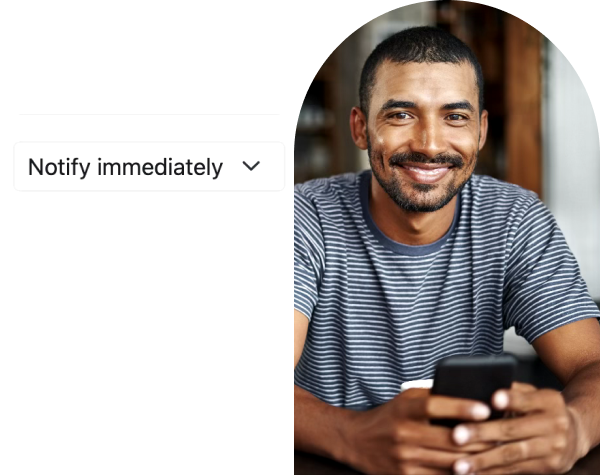
Email notifications are a reliable way to reach out the community. Parents choose between immediate and a daily email. In email notifications, posts and chat messages are auto-translated to the parent’s home language. Delivery reports show when parents received the message, and when they opened it.
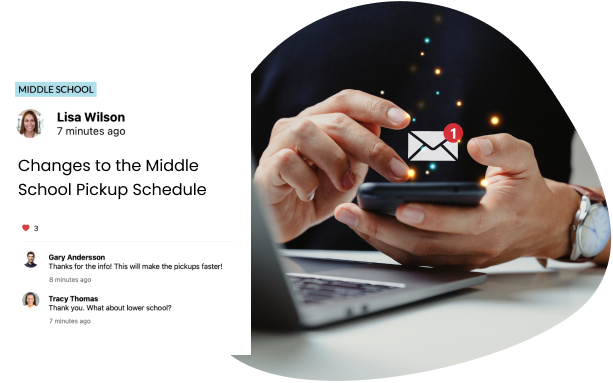

Text-to-Speech (TTS) Voice Messages for districts and schools reach parents effortlessly. Simply type in the message, and it gets delivered in parents’ home languages. Whether it’s time to update on school closure, inclement weather, changes in the pick-up time, or upcoming parent-teacher conferences, voice message are an effective way to get parents’ attention.
Parents are not one demographic but have different notification preferences to receive school communication. By combining app notifications, email, text messages, and voice alerts, School Signals helps ensure that important communication reaches every family in the way that works best for them.
Additionally, all communication is accessible in a unified communication platform so parents don’t ever need to rely on notifications alone to keep up with school communication. They can simply login to see the latest news and updates.
Mobile app push notifications for parents provide immediate alerts, while email notifications provide a backup and help maintain an easy record. Please note that all School Signals communication is trackable on the platform, and users never rely solely on notifications for information.
Users who have downloaded the School Signals app receive mobile push alerts. To receive mobile app push notifications, the user must be signed in to the app and connected to the Internet via Wi-Fi or cellular data.
Text message notifications are for posts that the school considers a priority, where notifications across multiple channels beyond email and app push are deemed necessary. School Signals does not cap the number of priority posts that school administrators and teachers can make. To receive text messages, parents must verify their phone number and opt in.
Critical Alerts on school closures, emergency situations, and inclement weather are always sent via text message to parents with phone numbers on file. These notifications are delivered instantly and override individual notification settings.
Parents set to receive email notifications for school-wide posts, classroom updates, and after-school clubs and groups. By default, parents receive email notifications immediately, but to control the volume, they can also set them to receive a single daily notification containing all communication. Even when set to daily, critical alerts are still delivered immediately.
Yes, parents can set their language preference to Spanish (or school admin can set the language for them), and the notifications are translated to Spanish. The translation service extends beyond user-generated content to include all notification titles and action buttons.
All user-created feed posts (news and updates from district, school, classroom, club, and group) and private messages are translated into parents’ home languages and delivered in those languages in notifications.
System-generated emails, such as upcoming parent-teacher conference reminders, are provided in English or Spanish. In other words, the Spanish language system is provided system-wide and covers all system notifications, while other language translations focus on translating user-generated posts and private messages.
School administrators and teachers can make priority posts and check them to be delivered as a voice message. The post content is converted using text-to-speech (TTS) technology into a translated voice message and delivered instantly to parents who have opted for voice messages.
Critical Alerts on school closures, emergency situations, and inclement weather are always sent via voice message to parents with phone numbers on file. These notifications are delivered instantly and override individual notification settings.
All feed posts include a delivery report showing the time a text message and an email were received. The report also shows a reason for non-delivery that may be related to the user’s inbox being full. All communication remains available within the platform, so schools can verify what was sent and parents can access messages at any time.
Notifications are designed to alert parents, but all communication is stored and organized within the platform. Parents can always access updates, messages, and school information directly, even if they miss a notification.
Users who have not activated their accounts can be set to receive a single daily email notification containing all school communication for that day. The notification includes a link to activate the account.

We will show you how School Signals works, and answer your questions. Product discovery calls take 15 to 30 minutes.