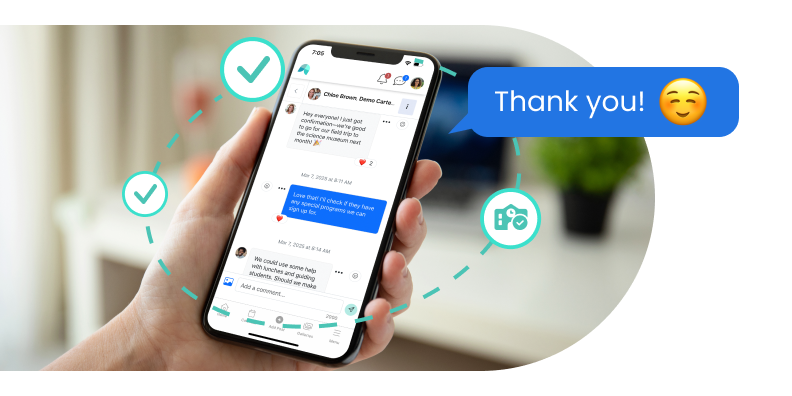

SCHOOL MESSAGING APP
Language translated private messaging among all school community members: Administrators, teachers, parents, PTA, and after-school instructors.
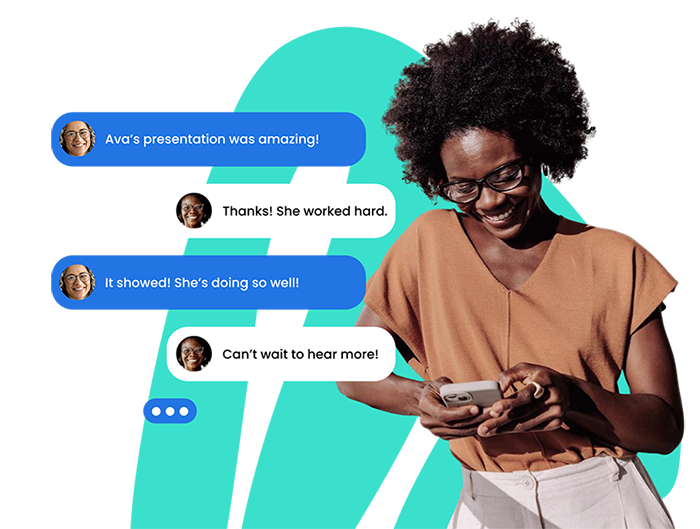
Private messaging that works among all stakeholders: school administrators to teachers, teachers to teachers, teachers to parents, parents to teachers, instructors to parents, PTA members, and in multi-user threads. Users get notified by email and app push. No need to share your personal phone or call the school line.
Enjoy communicating safely within a single platform that integrates all your school accounts. School Administrators have monitor access to all chat messages. The school has insight and information on all communication threads.
When you message through the School Signals, your school chat group receives instant notifications, eliminating the need for external apps and systems. No need for texting from your private number.


| Feature | School Signals | ParentSquare | Bloomz | Remind | TalkingPoints | ClassDojo |
|---|---|---|---|---|---|---|
| No phone number required | ✅ | ✅ | ✅ | ❌ | ❌ | ✅ |
| Admin oversight | ✅ | ✅ | ◐ | ❌ | ◐ | ❌ |
| Spanish User Interface (UI) option | ✅ (loads instantly) | ❌ | ✅ (sent to AI) | ❌ | ❌ | ◐ |
| Message Translation | ✅ | ✅ | ✅ | ◐ | ✅ | ◐ |
| Notifications (app + email) | ✅ | ✅ | ✅ | ◐ | ◐ | ◐ |
| Group Messaging | ✅ | ✅ | ✅ | ◐ (max 10 people) | ❌ | ◐ (class-based) |
| Add new participants after chat starts | ✅ | ❌ | ❌ | ◐ (if under 10 people) | ❌ | ❌ |
| Media sharing (photos & video) | ✅ | ✅ | ✅ | ◐ | ❌ | ✅ |
| Positive Reactions | ✅ | ❌ | ✅ | ❌ | ❌ | ✅ |
| Admin can disable messaging for a user | ✅ | ◐ | ❌ | ◐ | ◐ | ❌ |
| User can block another user | ✅ | ◐ | ❌ | ✅ | ❌ | ◐ |
| Mobile App | ✅ | ✅ | ✅ | ✅ | ✅ | ✅ |
| Desktop access | ✅ | ✅ | ✅ | ◐ | ◐ | ◐ |
We will show you how School Signals works, and answer your questions. Product discovery calls take 15 to 30 minutes.
The school chat private messaging feature is seamlessly built into the School Signals platform. The messaging is not an add of a system developed by another company. Administrators, teachers and parents do not have to navigate between different logins or user experiences. We want school communication to be easy!
Private messaging retains a permanent record that school administrators can access. It maintains communication in one place. It allows school community members to contact one another, even if they don’t know each other’s email addresses.
Parents can initiate the communication and message school administrators, teachers, instructors, PTA members, or other parents. Parents have access to the school and their group member directories to access school community members’ names and ‘message’ buttons.
When communication relates to a student’s academic achievement or behavior, it should remain private. Private messages are well suited for proactive, relationship-building outreach: sharing positive behavioral, social, or academic moments; thanking parents for their involvement; or clarifying how and when you can be reached.
Yes. Click the chat ‘speak bubble’ icon on desktop or mobile. Just select or type in the user’s name, and add your message. (Yes, you can add as many members as you’d like). Add images, media, or attachments, if you’d like. The recipient is notified via system bell, app push, and email.
Yes, you can send and receive private messages on desktop and mobile web. The School Signals app is not required for messages. The app connects app push notifications to the private messaging feature.
No, a phone number is not needed for the feature. All you need is a valid email in School Signals.
School Administrators can access all school chats on the platform. Users can report inappropriate messages. This type of oversight is not possible if a teacher or parent sets up a discussion thread in a third-party app and excludes admins. In School Signals, administrators have automatic rights to access all chats. For schools that value it or, by law, must retain access to all communications, this access is invaluable.
Admins can restrict a user from using the private messaging feature. The private message feature is a user right that can be removed. – Try to communicate in-person on topics that may be distressing.
The private messaging feature is included in the Premium package.