

CLASSROOM COMMUNICATION

Teacher-Parent Communication App

At School Signals, classrooms are more than a one-way announcement board—they’re dynamic communities for 360 parent-teacher engagement.

classroom communication

Classroom News & Updates for Parents

What Students Are Learning

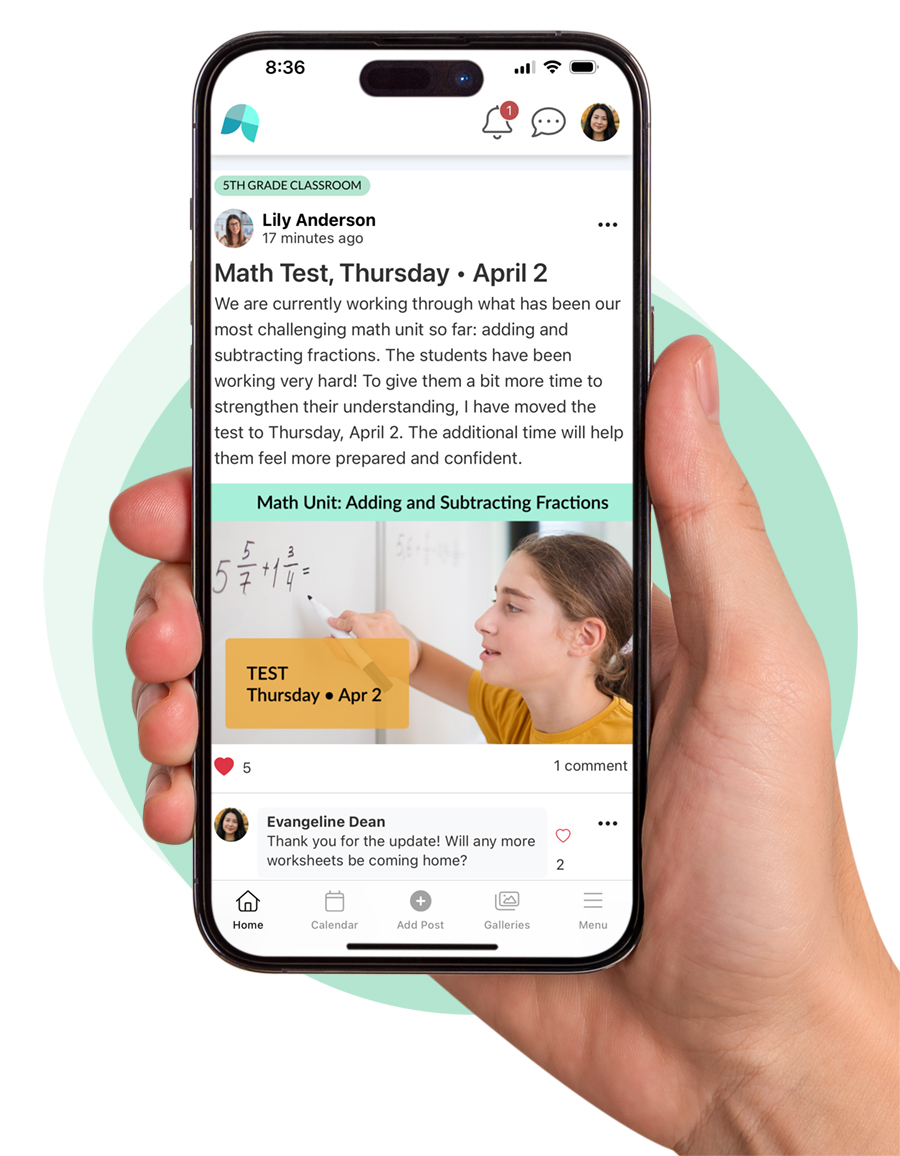
Parents have contextual access to the classroom updates and a hub to connect with their child’s teachers—and other parents.

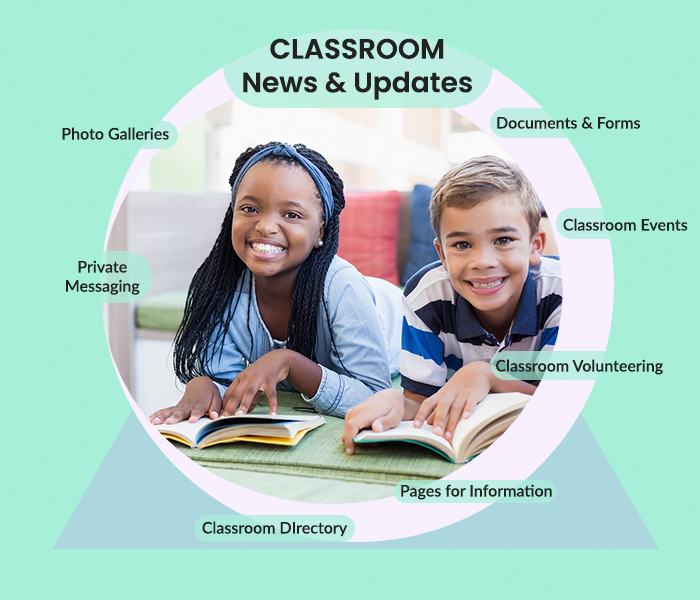
School Signals provides Classroom Communication and Messaging App features for teachers with a purpose. The system creates a communication hub where information is not limited to announcements but also includes documents, events, parent volunteering, pages, the classroom directory, and more! And, parents are automatically added to the classrooms based on student data.

Classroom Events with RSVP Welcome Parents

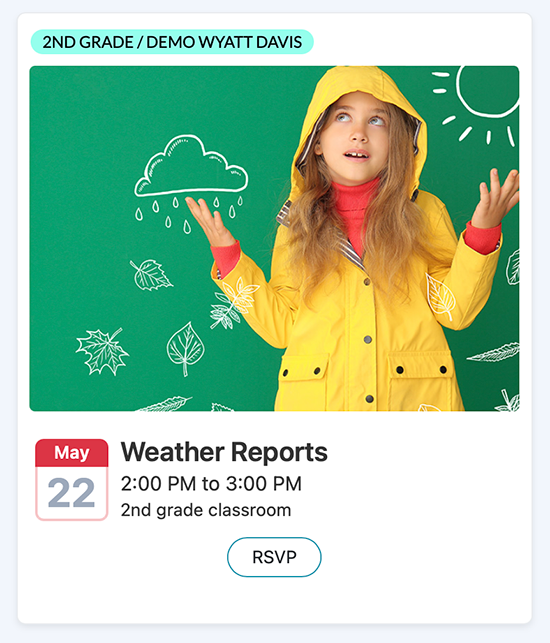
Teachers are in control publishing classroom events and collecting RSVP. Want help? Add a classroom parent as an admin. Need parents to decorate the classroom and bring snacks? Add volunteer sign-up for the event!

Classroom Helper Volunteer

Classroom Volunteering Made Easy

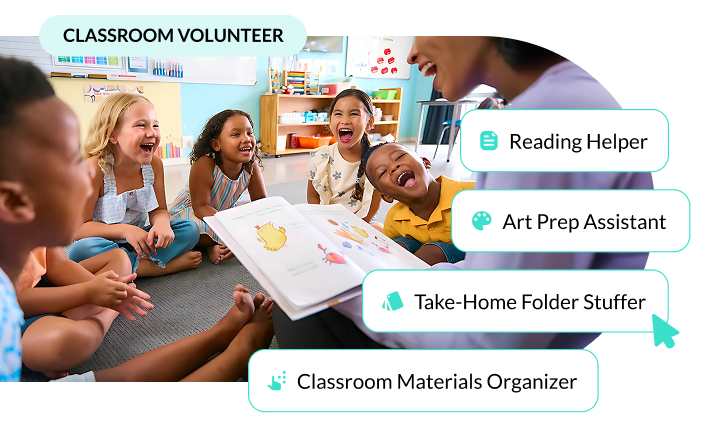
Parent volunteering gives students an academic boost! Teachers create volunteer opportunities inside their Classroom. Need volunteers for a classroom event? No problem! Integrate volunteering with the classroom event!

At School Signals, classrooms are dynamic communities for 360 parent-teacher engagement.

Provide parents with one classroom hub for all parents’ needs: class news and updates, classroom events and calendar, classroom-specific online forms, classroom volunteer sign-up, photo sharing, and messaging with teachers and other parents.

The idea is simple: Everything classroom-related is in one place – inside the classroom, accessible by desktop and mobile app.

Teachers save time by not having to answer the same questions individually. The feed respects parents’ notification preferences (text, email, voice, app push) while ensuring a timely delivery (immediate or daily). And, when there is a need, private messaging is easy to start from the classroom directory of teacher(s) and parents.

Classroom Communication for Teachers and Parents in School Communication Platforms

FeatureSchool SignalsParentSquareBloomzClassDojoBrightwheel
Organized Classroom Hub (not just feed)
Classroom Feed (updates & posts)
Two-Way Communication (comments/replies)
Classroom Events with RSVP
Classroom Volunteering
Online Forms (integrated with classroom)
Documents (organized, not just attachments)
Pages for Classroom Information
Classroom Directory (families)
Parent Admin Rights (e.g., room parents)
Individual Student Updates (private to parent)Coming soon!
Behavior Tracking & Classroom Points

Understanding the Use Difference Between School Signals and Google Classroom

Google Classroom organizes learning topics and tasks for students. School Signals Classroom is for communication and participation for parents. The table below shows how their roles differ.

AreaSchool Signals ClassroomGoogle Classroom
Primary PurposeTeacher-parent communicationClassroom instruction and assignment management
Who It ServesSchool leaders, teachers, parents, and familiesTeachers and students
Core UseCommunicating classroom updates, organizing classroom events, managing volunteeringDistributing assignments, collecting work, managing coursework
Parent ExperienceParents receive information, communicate and participate in events, forms, volunteering communication)Guardian summaries and limited classroom visibility
Communication StructureOrganized classroom communication hubStream tied to coursework and class activity
Events & SchedulingClass events with RSVP and school/class coordinationAssignment due dates and basic calendar use
Forms & FeedbackIntegrated with communication and participationSeparate tool (Google Forms)
Volunteer CoordinationEasy volunteering sign-upNot supported
School-Wide CoordinationYes: Classrooms reside in the school-wide communication platform Primarily classroom-level
Role in a School SystemUnified school communication and engagement systemInstructional classroom tool

We will show you how School Signals works, and answer your questions. Product discovery calls take 15 to 30 minutes.

Unified Teacher Communication Hub

Classroom-specific news, updates and reminders

  • Language translated communication
  • Email, text, voice and app notifications
  • Post scheduling
  • Commenting (can be moderated or turned on or off per post)


Information pages

  • Examples: About the Teacher, Homework Guidelines


Classroom events

  • Optional RSVP feature
  • Volunteer sign-up within the event
  • Common classroom events: Curriculum night, PBL event, Seasonal classroom party, field trip


Classroom calendar

  • All important dates
  • Access from the same UI to the school calendar
  • Commonly added: learning periods (beginning and end), important tests and exams, homework due notes


Classroom Volunteer opportunities and sign-ups

  • Managed by teacher or room parents
  • Time-based and role-based listings
  • Common opportunities: classroom event volunteer, classroom donations, teacher’s assistant, classroom reader, guest speaker, workshop volunteer


Document sharing

  • Examples: curriculum outline, subject curriculum, field trip information, classroom expectations, learning resources


Online Forms

  • Examples: ‘About my child’ form, Field trip form


Classroom directory for parents

  • Parents can share contact information (email and phone numbers)
  • Parents can share information about their hobbies and interests
  • Parents can create a family photo gallery for private social sharing


Private Messaging access

  • Use need: Teacher shares positive feedback with a parent; parent contacts a teacher for learning support; parent contacts another parent for pick-up help


Photo Galleries

  • Examples: Pictures from the field trip, pictures from special learning activity, pictures from a special seasonal event


Classrooms are automatically linked to students based on grade level and classroom teacher data. Parents are automatically added when their student is added to the Classroom. Subject-level teachers can select students from the applicable grade when multiple teachers exist for the same subject. Students themselves do not access School Signals.

Teachers can share regular updates without sending individual messages. Classroom posts appear in both the Classroom and School Feed. Parents receive notifications according to their preferences. Classroom Pages serve as a stable reference for information that rarely changes.

Teachers can address questions in a single public post rather than repeating answers privately. Parent posts can be restricted or require approval before publishing. Commenting can be disabled when discussion is unnecessary. Administrators have full visibility into all Classroom activity. Teachers have access to parent contact information and they can send two-way private messages to parents. Classroom teachers enjoy reduced administrative tasks. They do not need to invite parents to join; if student data is available, parents are automatically added to the classroom for communication.

Yes, Classrooms support homerooms, grade levels, subject classes, and special programs.

  • Subject-level teachers can create Classrooms for specific students within a grade.
  • Multiple teachers can collaborate in the same Classroom as needed.
  • Parents have a single location to access classroom news and ask questions.
  • Parents can view upcoming classroom events and volunteer opportunities, and sign up to participate.
  • Parents can view Classroom members in the directory, unless a member opts out.
  • Commenting allows parents to engage in shared discussions when enabled.
  • Classroom Pages provide clear information for all families.
  • Shared updates increase awareness and help prevent confusion or repeated questions.
  • All updates are automatically translated into each parent’s home language.
  • Classroom posts appear in both the Classroom and the School Feed.
  • Teachers and parents can message one another directly via user profiles.
  • Events can be created and targeted specifically to a Classroom.
  • RSVP functionality works seamlessly for Classroom-based events and activities.

Classroom events School Signals

Important considerations for school districts include
  • administrative oversight and support,
  • cohesive school communication with one agreed method,
  • data privacy and governance,
  • ease of use for teachers,
  • built-in language translation features,
  • a unified experience for families across grade levels, and
  • minimizing the need for multiple apps.
School Signals integrates classroom communication into a comprehensive, school-wide system. Therefore, it is a preferred choice for districts.

We understand that you may have questions if you are used to relying on one-way text message-style communication.

Request a Product Discovery Demo, and we’ll show you how easy Classroom communication is.

Boost school communication

Why Choose the School Signals Classrooms:

Get in Touch About Communication Solutions for Teachers